
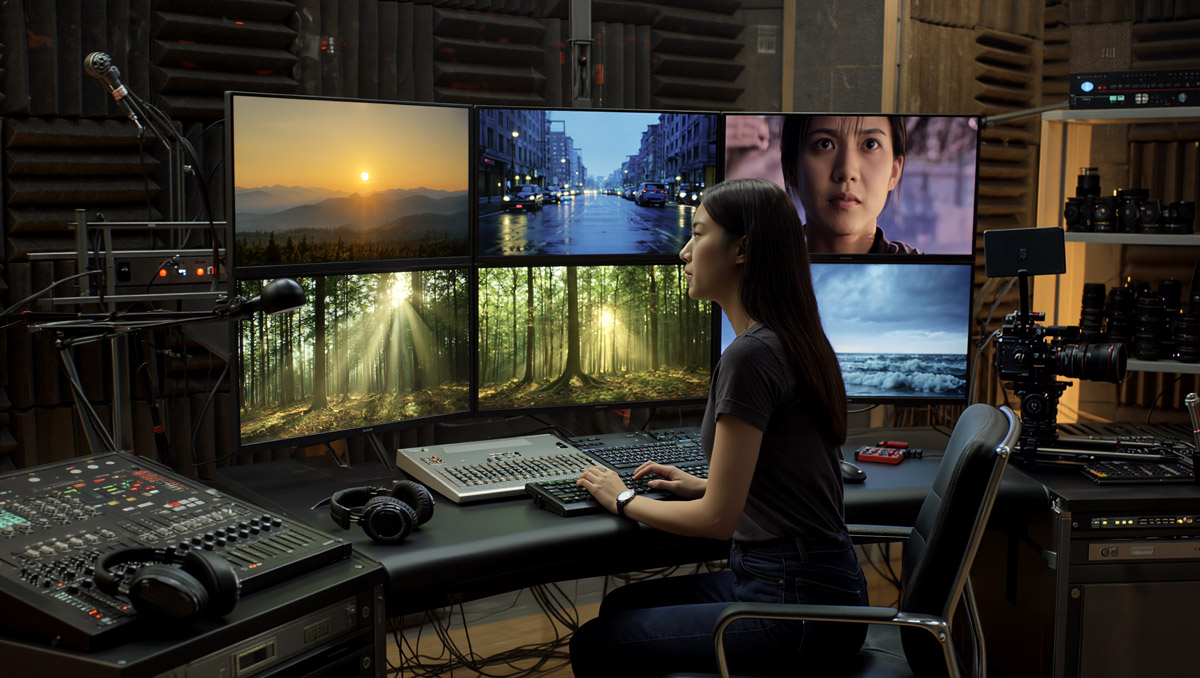
Best AI Video Generators for 2026 (Ranked by Use Case)
Last updated: 13 March 2026
AI video tools are no longer just experimental toys – they are established production partners. The challenge is no longer “what can make AI video?” but “which model is best for the specific job I need to do right now?”
This guide ranks the best AI video generators for 2026 by real-world use case: ads, social clips, cinematic storytelling, stylised visuals and fast prototyping. It focuses on what each tool does best, where it struggles, and how to use them efficiently without burning through credits.
Top AI Video Generators (Quick Picks by Use Case)
| Use case | Top pick | Why it is great |
|---|---|---|
| Cinematic ads & hero shots | Sora 2 | Top-tier realism, stronger physical behaviour and a more cinematic feel when you can access it. |
| Everyday production & rapid iteration | Kling 3.0 | Fast, reliable and increasingly practical for short commercial clips, product visuals and repeatable iteration. |
| Stylised, illustrated or anime looks | Freepik AI Video | Access to multiple video models in one workflow, making it especially useful for bold styles and creative experimentation. |
| Atmospheric b-roll & scenic shots | Luma Dream Machine | Smooth motion, rich colour and consistently strong mood shots and environments. |
| Social-first vertical content | Pika | Quick, creator-friendly and built for playful short-form formats rather than heavy production pipelines. |
| Advanced editing + AI generation | Runway (Gen-4 / Gen-4.5) | Strong generation paired with serious editing, reference-based control and production-friendly tools. |
1. Kling 3.0 – Best for Everyday Production & Rapid Iteration
Why it is great
Kling has become one of the most practical daily-driver AI video tools in 2026, and Kling 3.0 pushes that further with stronger motion quality, better facial consistency and more capable motion control options on supported platforms. It is fast enough for real iteration, but polished enough to produce clips you can actually keep.
Best for:
- 5–10 second clips for ads, intros and transitions
- Product shots and simple hero scenes
- Iterating on framing, motion and lighting quickly
- Workflows where speed and cost per clip matter
Strengths:
- Fast turnaround for testing multiple variations
- Strong camera language for pans, dollies and tracking shots
- Good short-clip consistency for people, objects and branded visuals
- Useful motion-control features in supported workflows
Limitations:
- Still not the absolute best for very complex multi-character cinematic scenes
- Longer sequences usually need stitching and cleanup in an editor
- Feature access and credit pricing vary by platform
Recommended usage:
Use Kling 3.0 as your workhorse model: generate several short versions, choose the best take, then refine, extend or upscale only the winners.
2. Sora 2 – Best for Cinematic Ads & Film-Like Sequences
Why it is great
Sora 2 remains one of the strongest options for cinematic, high-fidelity AI video. It delivers more realistic motion, stronger prompt adherence and more polished storytelling potential than earlier generations, and it now supports built-in audio generation for many use cases.
Best for:
- Premium brand ads and hero shots
- Cinematic trailers and narrative sequences
- Shots where realism and mood do most of the selling
- High-stakes client and portfolio work
Strengths:
- Excellent realism and fine detail
- Very natural camera movement
- Stronger physical behaviour than most day-to-day tools
- Useful for story-first, cinematic prompting
Limitations:
- Access and rollout still vary by region and product path
- Usage limits and queues can fluctuate
- Not the cheapest tool for high-volume iteration
Recommended usage:
Reserve Sora 2 for hero shots, narrative peaks and premium visuals where quality matters more than sheer output volume.
3. Freepik AI Video – Best for Stylised, Illustrated & Multi-Model Workflows
Why it is great
Freepik’s AI Video workflow is now less about a single model and more about convenient access to several strong video models in one place. That makes it especially useful when you want to compare looks, switch between stylised and semi-realistic outputs, or stay inside one broader creative ecosystem.
Best for:
- Anime and illustrated storytelling
- Surreal, graphic and design-led sequences
- Creative testing across multiple video models
- Workflows that mix AI images, design assets and video generation
Strengths:
- Multiple video models available in one interface
- Very strong style range
- Smooth fit with broader image and design workflows
- Good for creators who want to compare outputs without hopping between tools all day
Limitations:
- Model availability depends on plan and credits
- Best realism still tends to come from more specialised video-first tools
- Results vary a lot depending on which underlying model you choose
Recommended usage:
Use Freepik AI Video when visual style range matters more than picking a single “forever” model. It is especially handy for illustrated, design-heavy and experimental work.
4. Luma Dream Machine – Best for Atmospheric B-Roll & Scenic Shots
Why it is great
Dream Machine is still one of the easiest tools to use well. It remains particularly strong for landscapes, environments, transitions and mood-heavy visuals where smooth motion and colour matter more than strict character consistency.
Best for:
- Establishing shots and scenic intros
- Moody transitions and cutaways
- Background visuals behind titles or voiceover
Strengths:
- Consistently attractive colour and lighting
- Fluid camera movement
- Simple workflow with a gentle learning curve
Limitations:
- Less dependable for character-heavy scenes
- Not the best choice when you need tight identity consistency across many shots
Recommended usage:
Use Dream Machine as your scene painter for mood, space and connective visuals that make edits feel more cinematic.
5. Pika – Best for Social-First Vertical Content
Why it is great
Pika continues to lean into speed, creator-friendly UX and playful short-form creation. It is not trying to be your whole studio. It is trying to help you make attention-grabbing clips quickly, and that focus still makes it a strong option for vertical social content.
Best for:
- Reels, Shorts and TikTok-style content
- Quick hooks and intros
- Playful, reactive ideas and fast creative tests
Strengths:
- Strong social-first feature set
- Quick iteration and lightweight workflow
- Useful creative effects and remix-style features
Limitations:
- Not designed for long cinematic sequences
- Lower peak realism than top film-grade models
- Best features may depend on plan level and credit availability
Recommended usage:
Use Pika when speed, experimentation and social-native output matter more than building a polished long-form sequence.
6. Runway (Gen-4 & Gen-4.5) – Best for Advanced Editing + AI Generation
Why it is great
Runway remains the most production-minded option in this list. Gen-4 improved consistency and reference-based generation, while Gen-4.5 pushed visual fidelity and creative control further. The real advantage is not just the model quality – it is the surrounding toolset for editing, masking, compositing and hybrid workflows.
Best for:
- Hybrid AI and live-action projects
- Set extension, background replacement and composites
- Projects that need generation plus post-production control
Strengths:
- Deep editing control alongside generation
- Strong reference-based consistency features
- Fast and premium model options depending on the task
Limitations:
- Heavier interface for quick one-off clips
- Credit usage still needs watching on bigger projects
- More rewarding once you already have a production workflow in mind
Recommended usage:
Use Runway when AI is part of a broader production pipeline, not just a prompt-in, clip-out workflow.
Keeping This Guide Current
AI video tools continue to evolve rapidly. This guide will be refreshed throughout 2026 to reflect:
- New model releases and major upgrades
- Changes to pricing, access and credit systems
- New tools that clearly dominate specific use cases
Bookmark this page and revisit it whenever you plan a new project or choose tools for client work.
State-of-the-art AI video. New users get 50% bonus credits on their first month (up to 5 000 credits).